EdTech product design
Learning products people come back to.
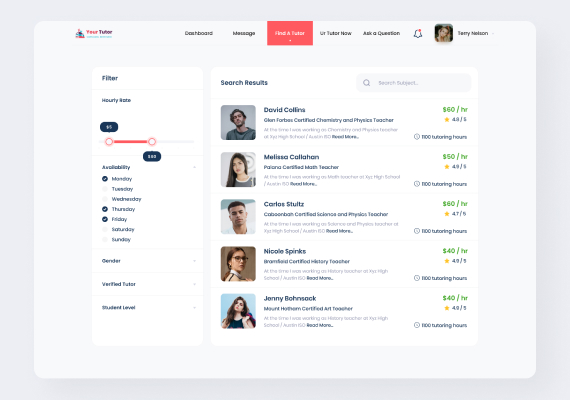
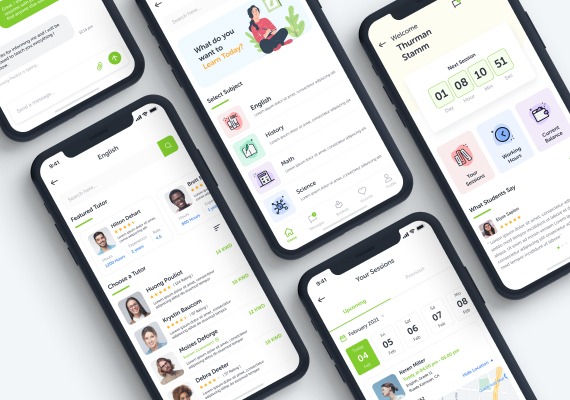
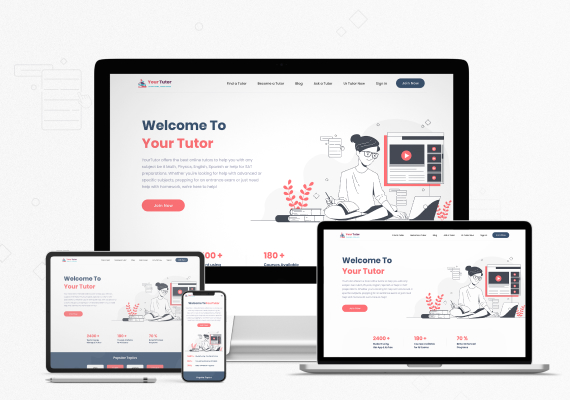
Tutoring platforms, learning apps and the marketing sites in front of them. Three of our projects are education products, designed for students, tutors and parents who each need something different from the same screen.
What matters in EdTech
Four things we design for first.
Three users, one product
Students, tutors and parents see different things. Roles are designed in from the start, not bolted on.
Progress you can see
Streaks, rings and milestones that reward showing up, without turning learning into a slot machine.
Session flows
Booking, joining, paying and reviewing a session in as few steps as the task allows.
Accessibility
Young readers, tired parents, small screens. Type, contrast and tap targets that work for all three.
Approach
How we design for three users on one screen.
A learning product usually has three audiences on the same system: the student doing the work, the tutor delivering it, and the parent paying for it. Each one wants a different answer to "how is this going", and designing for one of them usually damages the other two.
So we separate the roles first — what each person sees, what each can change, and what each should be told. That structure is expensive to change later, because it reaches into permissions, notifications and every dashboard built on top of it.
Then we design for momentum. Showing up is the hardest part of learning, so progress has to be visible and honest: what has been done, what comes next, and what it cost in time. We avoid mechanics that reward tapping over learning.
How we work
A process you can watch, not a black box.
- 01
Understand
Your users, your numbers, your constraints. Before a pixel moves.
- 02
Design
Flows, wireframes, then UI. Prototypes you can click, in Figma.
- 03
Validate
We test with real users and fix what they trip on.
- 04
Ship
Developer-ready handoff, or we build it. Then we measure.
Questions
Good questions.
Do you design for schools and institutes as well as apps?
Yes. Marketing and information sites for institutes are website work; learning platforms and apps are product work. We have done both for the same education brand: the tutoring platform itself and the website that sells it.
Can you help with parent-facing dashboards?
That is often the weakest part of an education product and one of the most valuable. Progress reporting for parents is a common brief for us.
How do you test with students?
Short moderated sessions with real students on real devices, usually five per round, before and after the design.
Get a free 15-point UX audit of your product.
Send us the link. Within one working day you get what to fix first, and why.
Contact
Start a project
Tell us what you are building. We reply within one working day.
- +91-8866301464
- info@ixdesign.in
- Mon–Fri 9:00–18:00 · Sat 9:00–13:00